How to Choose a Pixel Watch Charging Dock That Won’t Become Obsolete
Introduction
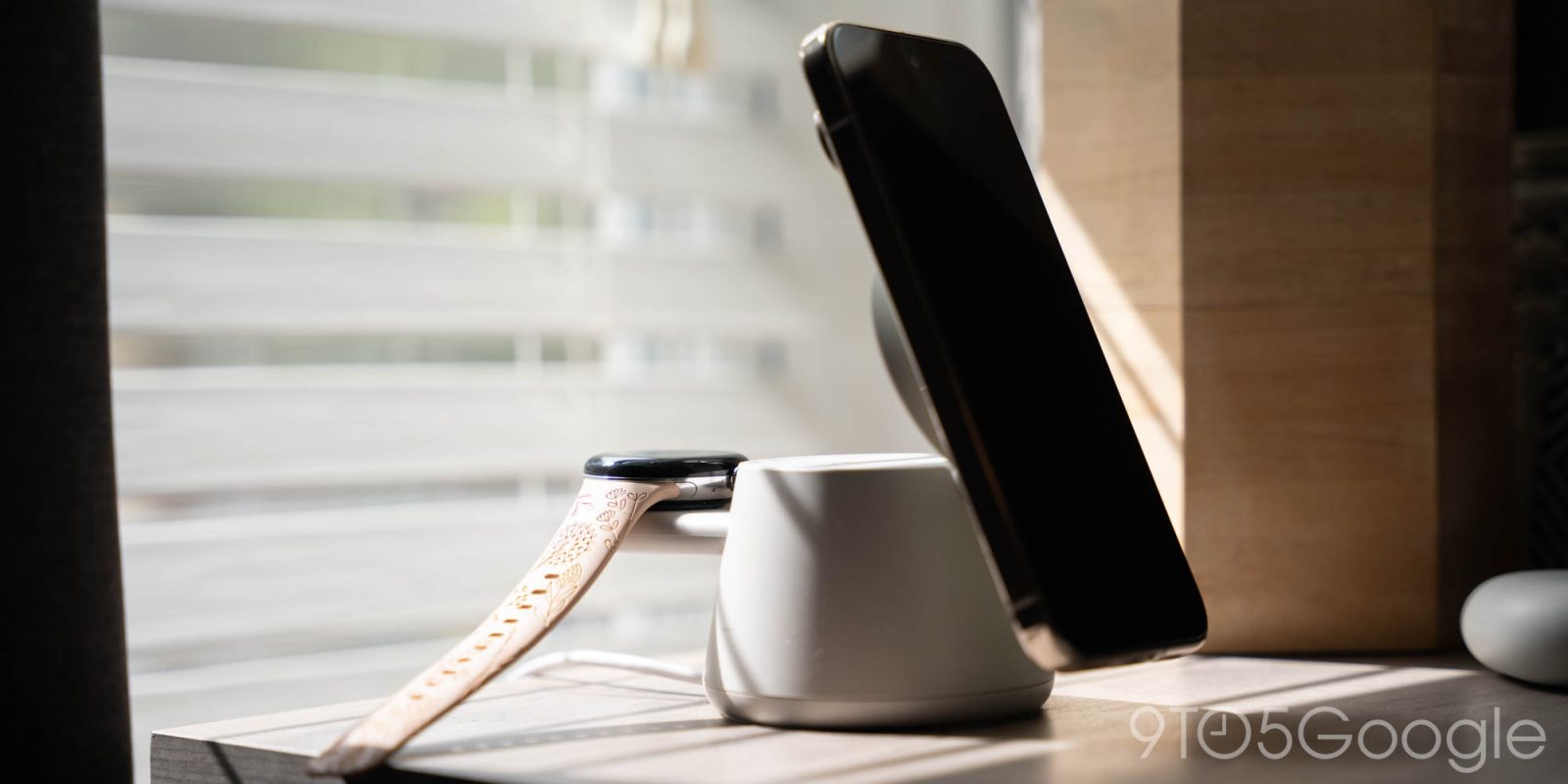
If you own a Google Pixel Watch, you’ve likely felt the frustration of limited accessories, especially charging stations. The appeal of a single dock that powers up your phone, earbuds, and smartwatch is obvious. Belkin’s new 3-in-1 charging station is arguably the best we’ve seen for the Pixel Watch, but Google’s habit of changing charging standards can make even top-tier docks feel like a gamble. This guide will walk you through the steps to pick a dock that stays useful, helping you avoid the pitfalls that have left many Pixel Watch owners disappointed.
What You Need
- Your Pixel Watch (know which generation you own: original, Pixel Watch 2, 3, or 4)
- The original charging cable that came with your watch (to compare connectors)
- A computer or phone to research product specs
- Preferred online retailer (e.g., Google Store, Amazon, Best Buy)
- Optional: a ruler or caliper to measure charging puck size
Step-by-Step Guide
Step 1: Identify Your Pixel Watch’s Charging Standard
Google has changed the charging design with each Pixel Watch generation. The original Pixel Watch used a magnetic charging disc with four pins. Pixel Watch 2 and 3 shifted to a different alignment and pin layout. The Pixel Watch 4 introduced yet another connector shape. Before shopping, confirm which generation you own – check the model number in Settings > About Watch > Model. Write it down, as you’ll need it to match with a dock that supports your specific version.
Step 2: Check if the Dock Supports Multiple Generations
Some charging docks, including the Belkin 3-in-1, claim compatibility with “Pixel Watch” but may only work perfectly with one generation. Look for docks that advertise multi-generation support or come with interchangeable adapters. If the product page lists separate SKUs for each watch version, be sure to select the one that matches yours. Ignoring this step could mean the watch doesn’t charge, or worse, charges slowly or with poor alignment.
Step 3: Verify the Dock’s Design for Future-Proofing
Google’s inconsistency means a dock that works today might not work with a future Pixel Watch. Choose a dock with a modular or adjustable charging puck. For example, the Belkin dock uses a replaceable watch cradle. Similarly, look for docks that use a standard wireless charging pad for the watch (like Qi) instead of a proprietary connector. If the dock uses a fixed, non-replaceable cradle, you’re locked into one generation.
Step 4: Read Real-World Reviews for Compatibility
Manufacturers often claim compatibility, but real users may report issues. Search for reviews from owners of your specific Pixel Watch generation. Look for comments about charging speed, alignment, and whether the watch stays connected through software updates. The Belkin dock, for instance, has rave reviews for build quality but complaints about Google changing the puck size after launch. A thorough review can save you from a $100 mistake.
Step 5: Consider the Return Policy and Warranty
Because Google may change the charging standard at any time, buy from a retailer with a generous return policy (e.g., Amazon, Best Buy). Some brands also offer upgrades or adapter kits for newer watches. Check if the dock manufacturer has a track record of supporting future watches with free or low-cost add-ons. If not, factor in the risk that you may need to replace the dock within a year.
Step 6: Balance Features with Longevity
Docks like Belkin’s offer elegant design, fast charging for phone and earbuds, and a premium feel. Weigh these features against the likelihood of future compatibility. If you plan to upgrade your watch every two years, a simple, cheaper Qi pad might be more practical. For those who love the all-in-one convenience, invest in a dock that lets you swap out the watch cradle separately – this minimizes waste when Google inevitably changes things again.
Tips for a Smarter Purchase
- Watch Google’s announcements: Before buying a dock, check the latest Pixel Watch news. If a new generation is rumored, wait for its release to ensure compatibility.
- Measure your current charging puck: Note its diameter and thickness. Compare with the dock’s cradle dimensions to avoid misalignment.
- Look for adjustable alignment: Some docks (like the Nomad Stand One) allow you to slide the watch puck horizontally. This can compensate for minor changes in connector placement.
- Join Pixel Watch communities: Subreddits and forums often have user-created lists of docks that still work after Google updates. Use these as a sanity check before buying.
- Buy from brands with history of support: Belkin, Anker, and Spigen are more likely to offer adapters for new watches than lesser-known manufacturers. Still, ask customer support directly.
- Consider a “watch-only” charger: If multi-device docks keep failing, a simple single-watch charger (from Google or a third party) may be more reliable – albeit less convenient.
Ultimately, choosing a Pixel Watch charging dock requires patience and research. Google’s design shifts mean that even the best-looking product can become outdated. By following these steps, you can pick a dock that serves you well today and remains useful longer, saving you money and frustration.