Ideogram: A Top Contender in the AI Image Generation Race
Introduction
In the rapidly expanding universe of AI image generators, choosing the right tool can be overwhelming. While competitors like Gemini's Nano Banana Pro, ChatGPT's image generator, and established platforms like Canva, Adobe, and Midjourney continue to evolve, one tool consistently earns the loyalty of creators: Ideogram. This article explores ten compelling reasons why Ideogram stands out, from its automatic prompt enhancement to its flexible editing tools, and provides a simple guide to getting started.
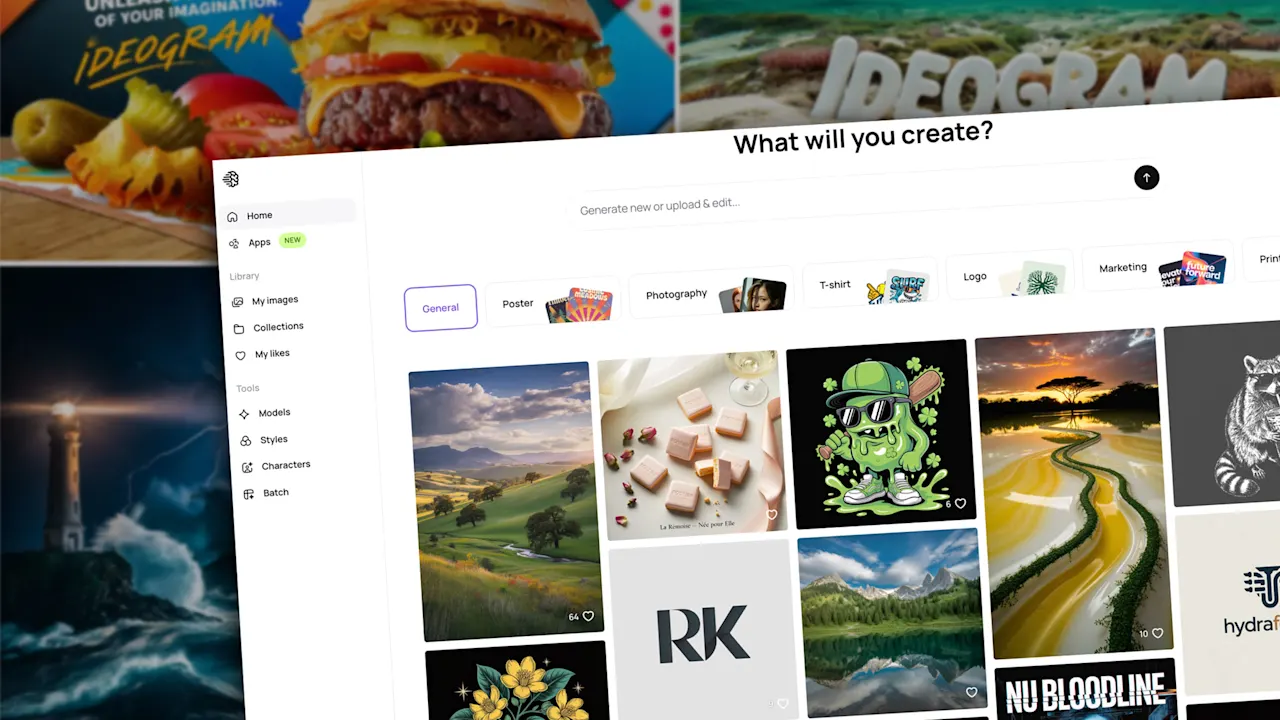
Why Ideogram Wins Users Over
1. Automatic Prompt Improvement
Ideogram's magic prompt algorithm takes your initial description and refines it for better results. You can approve the suggested prompt or tweak it further, giving you control without the guesswork.
2. Four Options Per Prompt
Every submission yields four varied images. This selection lets you exercise editorial judgment, choosing the one that best matches your vision.
3. Inspiring Public Galleries
Browse the public image galleries for inspiration. You can explore top-ranked images and see the prompts behind them, making it easy to learn and build on others' ideas.
4. Spot-On Text Rendering
One of Ideogram's standout features is its ability to generate accurate text within images. Whether you need a social media graphic, a banner, a thumbnail, or a logo, the typography appears clean and readable. Their guidance on text and typography includes excellent examples and prompt ideas.
5. Dozens of Predefined Styles
From Pop Art and Watercolor to Doodle, Travel Poster, and Surreal Collage, you can choose from numerous artistic styles. If you're indecisive, the "auto" option selects a suitable style. For presentations, go with a clean modern look; for creative projects, opt for something more abstract and artsy.
6. Negative Prompts for Paid Users
Subscribers on paid plans can use negative prompts to exclude specific elements. This prevents unwanted details from ruining an otherwise perfect image.
7. Flexible Image Orientation
Free users get 11 orientation options (horizontal, vertical, square). This ensures your generated image fits perfectly into a slide, podcast cover, newsletter, ad banner, site header, or any other format. Paid subscribers enjoy even more dimension choices.
8. Remix Any Image
With the remix button, you can modify any previously generated image—yours or someone else's. Be specific in your remix prompt to avoid surprises; for example, saying "dog" might give you a golden retriever instead of the poodle you envisioned.
9. Extend and Edit with Canvas
Ideogram's Canvas feature (available to paid users) allows you to edit, extend, or combine images seamlessly. Watch a 45-second demo video to see it in action.
10. Create Your Own Custom Styles
Upload or select a few images to generate a unique style you can reuse for consistent branding across projects. This is invaluable for maintaining a cohesive look in presentations, social media, or marketing materials.
How to Start Using Ideogram
Step 1: Sign Up Free
Visit Ideogram.ai and create a free account using your Google, Apple, or Microsoft credentials.
Step 2: Check the Welcome Guide
Review the welcome guide for starting tips, example prompts, and best practices.
Step 3: Explore the Public Gallery
Browse the public gallery to see what others have created and the prompts they used. This is a great way to get inspired and learn the tool's capabilities.
Step 4: Describe Your Image
Type a few words describing the image you envision. The magic prompt will help refine it, and you'll receive four options to choose from. Experiment with different styles, orientations, and negative prompts as you go.
Whether you're a designer, marketer, content creator, or hobbyist, Ideogram offers a powerful yet user-friendly platform for all your image generation needs. Its unique features like automatic prompt improvement, accurate text rendering, and remixing capabilities set it apart in the crowded AI image boom.