From Tower to Mini-ITX: 5 Essential Tips for Downsizing Your PC Build
After more than a decade of upgrading the same trusty PC case, I finally decided it was time to embrace the future of computing: smaller builds. While raw speed still matters, the real excitement now lies in packing maximum power into minimal volume. In this guide, I'll share five key insights from my journey to downsizing, covering case comparisons, hardware choices, and cooling tricks. Whether you're a seasoned builder or a newcomer, these tips will help you create a compact powerhouse without sacrificing performance. Let's dive into the world of small form factor (SFF) PC building.
- The Long Road to Downsizing
- Why Small Form Factor Builds Are the Future
- Comparing Top SFF Cases: Dan A4 vs. Streacom DA2 vs. Others
- Choosing the Right Case for High-End Components
- Cooling Tricks for a Compact Beast
1. The Long Road to Downsizing
My PC building history spans over 13 years, with the same case serving me since 2011. But by 2023, the appeal of a towering mid-tower had faded. The PC market has matured, and upgrades have become less about brute force and more about efficiency. After five years of incremental updates, I decided it was time for a radical change: downsizing. This shift wasn't just about aesthetics—it was about embracing the growing trend toward compact, powerful systems. My previous build, detailed in earlier blog posts, had evolved from a minimal boot in 2007 to a fully overclocked monster in 2015. But now, the goal was to shrink everything without sacrificing performance. This journey taught me that going small isn't just possible—it's often better.
2. Why Small Form Factor Builds Are the Future
Many enthusiasts still believe that bigger cases mean better cooling and more room for components. However, advances in component miniaturization have made SFF builds incredibly attractive. Modern CPUs and GPUs deliver desktop-class performance in smaller packages, while SFX power supplies have become reliable and efficient. The result is that you can now fit a fully fledged gaming or workstation PC into a volume that rivals game consoles. For instance, the PS4 Pro occupies just 5.3 liters, while an Xbox One S is only 4.3 liters. A well-designed SFF PC at around 7–17 liters can offer more than double the performance—a compelling trade-off for those who value space savings. This efficiency is driving a renaissance in PC building, where the challenge is no longer 'how fast?' but 'how small?'
3. Comparing Top SFF Cases: Dan A4 vs. Streacom DA2 vs. Others
When downsizing, the case is your foundation. I evaluated several popular options to see what fits your needs. The Dan A4-SFX is the ultimate in compactness at just 7.3 liters (200 × 115 × 317 mm). It's a masterpiece of space utilization, but it leaves little room for cooling high-end CPUs. The Silverstone RVZ02/ML08 is slightly larger at 12.2 liters, offering a console-like layout. The nCase M1 (12.6 liters) strikes a balance between size and flexibility. Finally, the Streacom DA2 at 17.5 liters provides the most interior space, making it ideal for powerful components. Each case has strengths and weaknesses: the Dan A4 is ultra-portable, while the DA2 can house massive air coolers and long GPUs. Your choice ultimately depends on your performance needs and willingness to compromise on size.
4. Choosing the Right Case for High-End Components
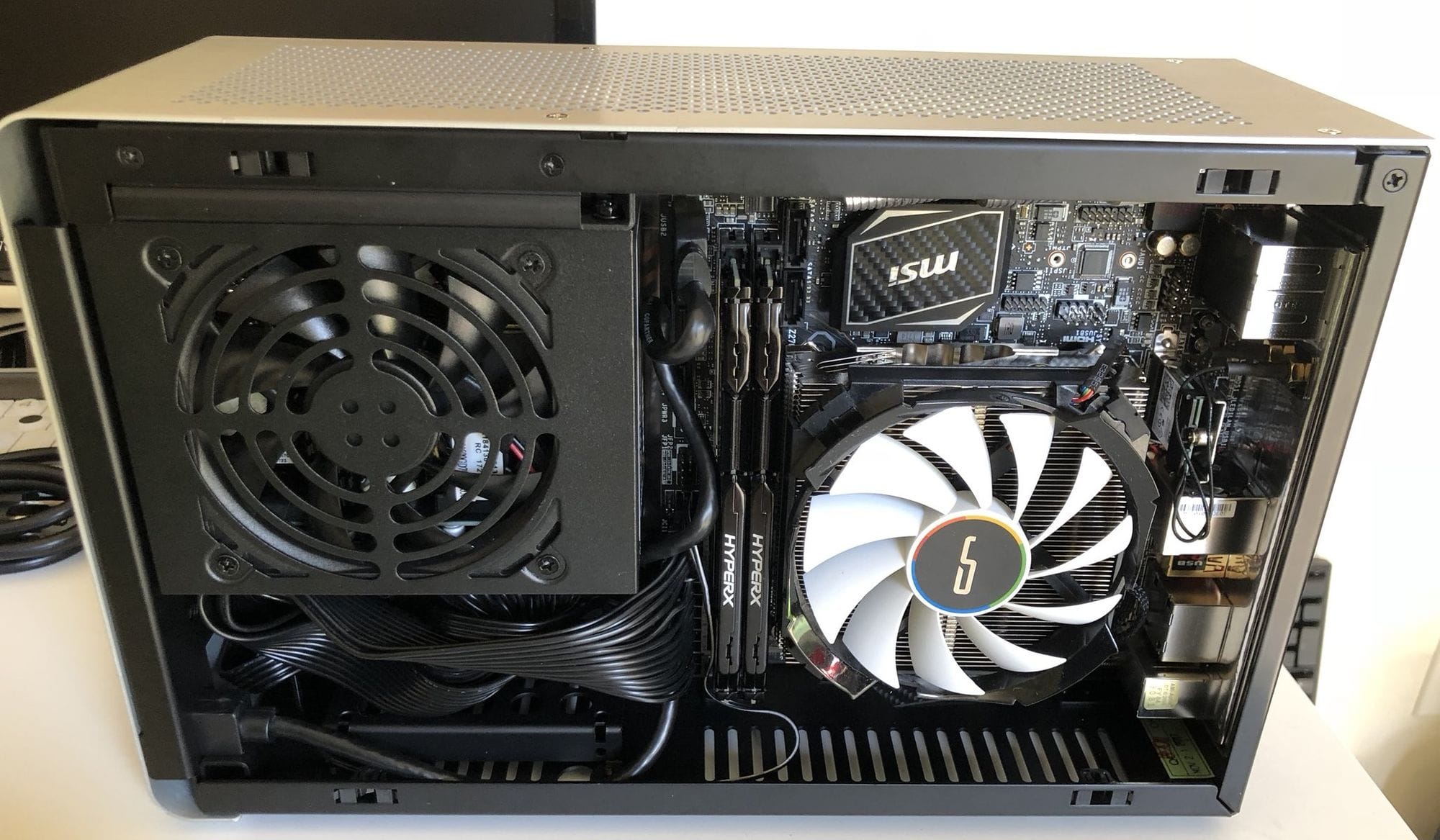
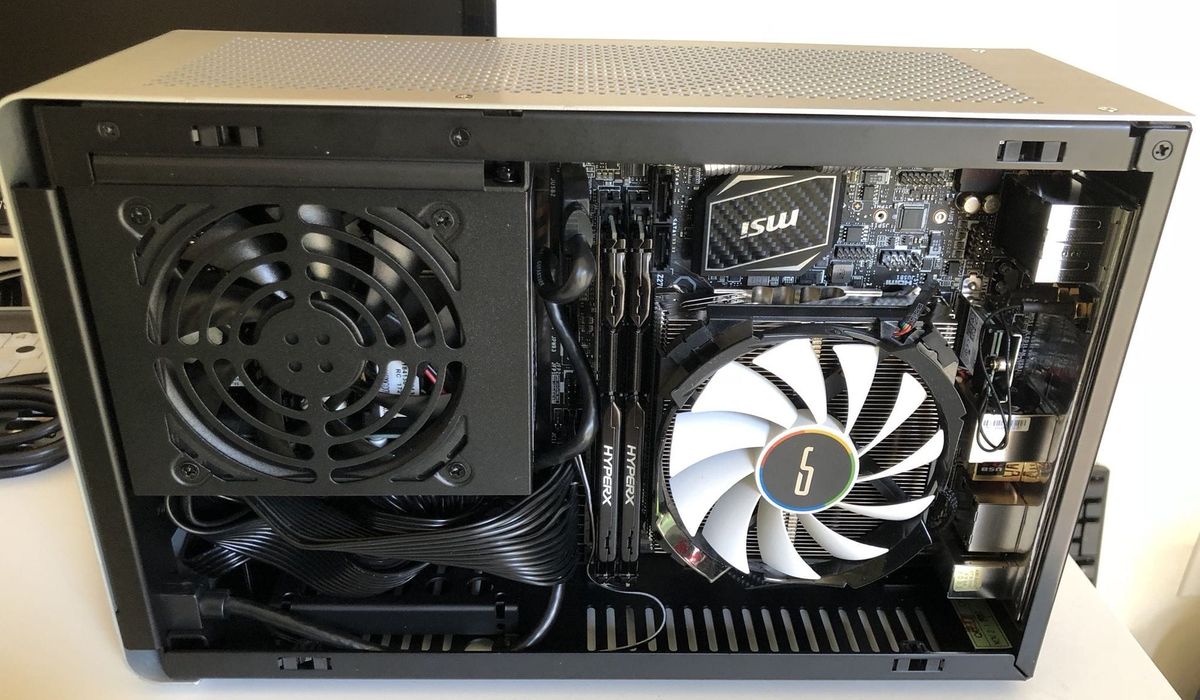
For my personal build, I opted for the Streacom DA2 because I wanted to install top-tier hardware without thermal headaches. My configuration included an Intel i9-9900KS (8-core, 5.0 GHz), 64 GB of DDR4-3000 RAM, a Samsung 970 PRO 1TB plus additional drives, a Cryorig H7 cooler (which fit exactly), and an NVIDIA RTX 2080 Ti. Compared to my old i7-7700K system, I got double the cores, faster clock speeds, twice the memory, and dual M.2 slots. The DA2's hybrid open-air design and versatile bracket system made assembly straightforward. However, I learned that even this roomier case required careful component selection—the cooler clearance is tight, and cable management demands patience. The trade-off is a system that performs like a full tower but occupies a fraction of the desk space.
5. Cooling Tricks for Maximum Performance in Minimal Space
Heat is the enemy of any SFF build. In the DA2, I discovered that removing the acrylic panels (top and bottom) and replacing them with included mesh dust filters dramatically improved airflow. The manual even recommends this for better thermal performance. Without this modification, my temperatures were borderline concerning. With it, the system ran cool and quiet even under load. Another trick: use low-profile CPU coolers, but ensure they match your motherboard's socket height. Also, consider installing case fans in every available spot; the DA2 supports multiple mounting points. Finally, remember that GPU thermals benefit from a well-ventilated side panel. If you're building in a case like the Dan A4, you might need to undervolt or use liquid cooling. The key is to test and iterate—small adjustments can yield big temperature drops.
Conclusion: Downsizing your PC doesn't mean compromising on power. With careful case selection, smart component choices, and a few simple cooling tweaks, you can build a system that rivals larger rigs in performance while saving space and looking sleek. The journey from a monolithic tower to a mini-ITX powerhouse is rewarding, and these five tips will set you on the right path. Whether you're a veteran builder or a first-timer, embrace the small form factor revolution—it's the most exciting trend in PC building today.